Recent activities in this game
Someone had a problem at level 2. Match the Tool (Memory - Part 1) .
2026-10-24 09:32 after 6 seconds of playing.
Someone got all questions correct at level 8. Spell the Tool (Free text - Part 2) .
2026-10-23 19:11 after 3 minutes of playing.
Someone got 3 misses and 19 moves at level 7. Match the Tool (Memory - Part 2) .
2026-10-23 19:08 after 1 minute of playing.
Someone got all words right at level 3. Find the Word (Word Search - Part 1) .
2026-10-23 19:07 after 8 minutes of playing.
Someone got 19 misses and 35 moves at level 2. Match the Tool (Memory - Part 1) .
2026-10-23 19:07 after 2 minutes of playing.
Someone got all questions correct at level 6. Match the Tool (Link pairs - Part 2) .
2026-10-23 19:06 after 3 minutes of playing.
Someone had a problem at level 4. Spell the Tool (Free text - Part 1) .
2026-10-23 19:06 after 5 minutes of playing.
Someone got all words right at level 3. Find the Word (Word Search - Part 1) .
2026-10-23 19:05 after 20 minutes of playing.
Someone had a problem at level 3. Find the Word (Word Search - Part 1) .
2026-10-23 19:04 after 30 minutes of playing.
Someone got 6 misses and 21 moves at level 7. Match the Tool (Memory - Part 2) .
2026-10-23 19:04 after 58 seconds of playing.

Practice naming common woodworking tools, machines, and techniques. Can you identify them all?
Instructions for Woodworking Tools
In this game, you practice identifying tools, machines, and techniques used in woodworking. You will encounter different types of saws, pliers, measuring tools, and hand tools, as well as craft techniques such as wood carving. The game is suitable both as preparation before practical work in the workshop and as revision afterwards.
Teachers can use the game as an introduction to a new unit or as a follow-up activity to check that students can correctly name the tools they are working with. The questions move from well-known basics to less familiar specialist tools, making the game useful for a range of ability levels.
1. Name the Tool (Multiple choice - Part 1)
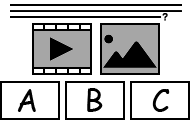 Multiple Choice - The level consists of 12 multiple choice questions (all of which have pictures), but a maximum of 10 multiple choice questions are practiced per game round. For each question, the player is given three possible answers, only one of which is correct. It is up to the player to choose the correct option. The student has 3 hearts, giving them another chance at missed multiple choice questions during a game round. Questions have text-to-speech in English. Answers have text-to-speech in English. There is no time limit. When the student has selected all the correct answers, the game round is completed. If it is too difficult, the player can click the button labeled Cancel - then the correct answers will be displayed - and try to complete the level again.
2. Match the Tool (Memory - Part 1)
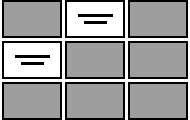 Memory - The level consists of 12 pairs (consisting of words paired with pictures) and all of them are practiced in every game round. The student's task is to find two cards that match. If two matching cards are found, they are removed from the board. The game is finished when all 12 pairs of cards have been found and no cards are left on the board. There is no limit to the number of allowed misses, so the only thing that counts is finding all card pairs. There is no time limit. If it is too difficult, the player can click the button labeled Cancel - then it will show which pairs of cards match - and try to complete the level again.
3. Find the Word (Word Search - Part 1)
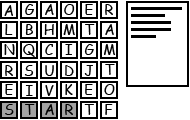 Letter Grid - The level consists of 18 words, but a maximum of 10 words are practiced per game round. The player is shown a board with letters arranged in a grid and must drag the mouse pointer or finger over the letters until the word is found. The words to be found are placed on the board as 8-way crooked words and they are listed in plain text next to the board. If the student manages to find all the words, the round is won. There is no time limit. If it is too difficult, the player can click the button labeled Cancel - then the correct words will be displayed - and try to complete the level again.
4. Spell the Tool (Free text - Part 1)
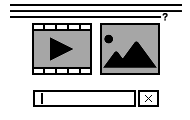 Questions with Text Answers - The level consists of 12 questions (all of which have pictures), but a maximum of 10 questions are practiced per game round. The student must enter the correct answer without any hints and has 3 hearts (extra tries) to write the correct word or sentence in each question's text field. Answers are not case-sensitive. The student has 3 hearts, giving them another chance at missed questions during a game round. The student does not receive any feedback when writing the answer, which makes the task a bit more difficult. Questions have text-to-speech in English. There is no time limit. When the student has written all the answers correctly, the game round is completed. If it is too difficult, the player can click the button labeled Cancel - then the correct answers will be displayed - and try to complete the level again.
5. Name the Tool (Multiple choice - Part 2)
Multiple Choice - The level consists of 10 multiple choice questions (all of which have pictures) and all of them are practiced in every game round. For each question, the player is given three possible answers, only one of which is correct. It is up to the player to choose the correct option. The student has 3 hearts, giving them another chance at missed multiple choice questions during a game round. Questions have text-to-speech in English. Answers have text-to-speech in English. There is no time limit. When the student has selected all the correct answers, the game round is completed. If it is too difficult, the player can click the button labeled Cancel - then the correct answers will be displayed - and try to complete the level again.6. Match the Tool (Link pairs - Part 2)
 Link Up - The level consists of 10 questions (all of which have pictures) and all of them are practiced in every game round. The player's task is to link the 10 questions in the colored boxes with the most appropriate answers in the white boxes. Each colored box can only be linked to one white box and vice versa. The student receives feedback on their links Before submission. The student has 3 hearts, giving them another chance at missed links during a game round. Questions have text-to-speech in English. Answers have text-to-speech in English. There is no time limit. When the student has linked all the boxes correctly, the game round is completed. If it is too difficult, the player can click the button labeled Cancel - then the correct links are displayed - and try to complete the level again.
7. Match the Tool (Memory - Part 2)
Memory - The level consists of 10 pairs (consisting of words paired with pictures) and all of them are practiced in every game round. The student's task is to find two cards that match. If two matching cards are found, they are removed from the board. The game is finished when all 10 pairs of cards have been found and no cards are left on the board. There is no limit to the number of allowed misses, so the only thing that counts is finding all card pairs. There is no time limit. If it is too difficult, the player can click the button labeled Cancel - then it will show which pairs of cards match - and try to complete the level again.8. Spell the Tool (Free text - Part 2)
Questions with Text Answers - The level consists of 10 questions (all of which have pictures) and all of them are practiced in every game round. The student must enter the correct answer without any hints and has 3 hearts (extra tries) to write the correct word or sentence in each question's text field. Answers are not case-sensitive. The student has 3 hearts, giving them another chance at missed questions during a game round. The student does not receive any feedback when writing the answer, which makes the task a bit more difficult. Questions have text-to-speech in English. There is no time limit. When the student has written all the answers correctly, the game round is completed. If it is too difficult, the player can click the button labeled Cancel - then the correct answers will be displayed - and try to complete the level again.Calculation of knowledge points and medals
Each completed game level in Woodworking Tools gives 1 knowledge points. You can collect a maximum of 8 knowledge points by completing all 8 levels.
In the game Woodworking Tools, you can earn a total of 24 medals. Medals are awarded based on how many times you have completed a level:
- Bronze medal: after completing 2 rounds.
- Silver medal: after completing 5 rounds.
- Gold medal: after completing 10 rounds.
Knowledge points are only awarded for levels you have not completed before, meaning those that do not yet have checked green circles. Even after completing a level and earning both knowledge points and medals, you can continue practicing it. However, this will not grant any additional knowledge points or medals.
Additional game information
Reviews
Report
If you find a spelling mistake or something else that should be corrected, feel free to contact the game creator or us at Helpful Games.
Comments
There is 1 comment on this knowledge game.
N
5 October 2026 09:18